Share WiFi Without the Hassle
Create a QR code that connects guests to your WiFi network instantly. No more spelling out passwords or writing them on sticky notes. Just scan and connect in seconds.
No credit card required - 10 QR codes free forever
Why Use WiFi QR Codes
Everything you need to create effective QR codes for your specific use case
One-Tap Connection
Guests scan the QR code and connect automatically. No typing passwords, no configuration - just instant WiFi access.
Secure Sharing
Share access without revealing your password. The QR code contains encrypted credentials that work on any device.
Perfect for Guests
Ideal for Airbnbs, hotels, offices, cafes, and home visitors. Make WiFi access effortless for everyone.
Custom Designs
Match your brand or decor with custom colors, gradients, and logos. Create QR codes that look as good as they work.
Key Benefits
Real advantages that make a difference for your business
- Connect guests to WiFi in seconds without sharing passwords verbally
- Works with all security types: WPA2, WPA3, WEP, and open networks
- Support for hidden networks that don't broadcast SSID
- Compatible with iOS and Android devices
- Print and display anywhere - lobbies, guest rooms, or table tents
Customize Your QR Codes
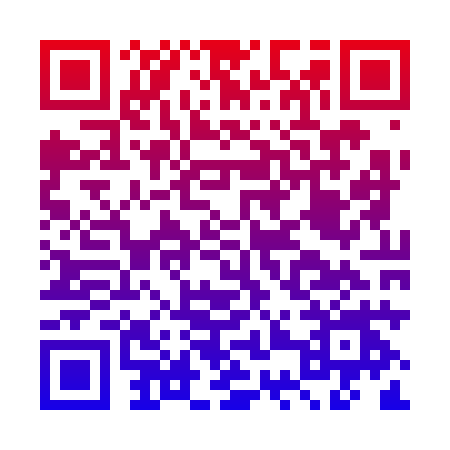
Make your QR codes stand out with custom colors, gradients, logos, and unique styles
Custom Colors
Choose any foreground and background colors to match your brand.

Gradient Effects
Linear or radial gradients for eye-catching designs.
Brand Logos
Add your company logo in the center of your QR code.

Unique Styles
Square, rounded, dots, or diamond module patterns.

How It Works
Create your wifi qr code in three simple steps
Sign Up Free
Create your free GetQRPro account in seconds. No credit card required.
Create Your QR Code
Enter your URL and customize your QR code with colors and your logo.
Download & Track
Download your QR code and track scans in real-time from your dashboard.
WiFi QR Code FAQ
Got questions? We have answers.
WiFi QR codes contain your network name (SSID), password, and security type in a special format. When scanned, the phone's camera app recognizes it as a WiFi configuration and offers to connect automatically. No manual typing required!
Yes! The QR code contains encrypted network credentials. While someone could decode the QR, it's no less secure than writing the password on paper. For sensitive networks, consider creating a separate guest network with its own QR code.
Most modern smartphones support WiFi QR codes natively. iPhone (iOS 11+) and Android (version 10+) can scan and connect directly from the camera app. Older devices may need a QR scanner app.
WiFi QR codes are static - they contain the credentials directly in the code. If you change your WiFi password, you'll need to create a new QR code. This is different from our URL QR codes which can be updated anytime.
Explore More QR Code Solutions
Discover other ways QR codes can help your business
Restaurant Menu QR Code
Create QR codes for your restaurant menu that customers can scan instantly. Update prices, add seasonal dishes, and track engagement - all without reprinting a single menu.
Learn moreEvent QR Code
From invitations to check-ins, QR codes streamline every aspect of your event. Share details, track registrations, and manage attendance seamlessly.
Learn moreBusiness Card QR Code
Add a QR code to your business card that instantly shares your contact info, portfolio, LinkedIn, or website. Make every connection count.
Learn moreStart Creating WiFi QR Codes Today
Start creating professional QR codes in seconds
Create Your WiFi QR CodeNo credit card required - Start in seconds